Vue CLI Router + Vuetify plugins
January 11, 2019
What is this?
A short tutorial about how to correctly combine Vue CLI’s router plugin and vuetify plugin into one layout.
What’s the problem?
Vue CLI plugins scaffold a recommended layout for you by changing the app files, but they also override each other’s changes instead of combining them.
Let’s go
In your workspace root, run the following:
vue create vuetify-router-demo
cd vuetify-router-demo
Select the default options - babel, eslint, yarn.
This will create the basic app layout.
Test it by running yarn serve.
Add the router plugin
Let’s add the router plugin:
vue add routerThe router plugin does a few things:
- Creates the
viewsfolder with two example views: About and Home - Creates the
router.jsfile to link between routes and views - Makes changes to
main.jsto add the router to the main Vue instance - Changes
App.vuefile to look like this:
<template>
  <div id="app">
    <div id="nav">
      <router-link to="/">Home</router-link> |
      <router-link to="/about">About</router-link>
    </div>
    <router-view/>
  </div>
</template>
Add the Vuetify plugin
Now let’s add the vuetify plugin:
vue add vuetifyAnd after running this, your App.vue file looks like this:
<template>
  <v-app>
    <v-toolbar app>
      <v-toolbar-title class="headline text-uppercase">
        <span>Vuetify</span>
        <span class="font-weight-light">MATERIAL DESIGN</span>
      </v-toolbar-title>
      <v-spacer></v-spacer>
      <v-btn
        flat
        href="https://github.com/vuetifyjs/vuetify/releases/latest"
        target="_blank"
      >
        <span class="mr-2">Latest Release</span>
      </v-btn>
    </v-toolbar>

    <v-content>
      <HelloWorld/>
    </v-content>
  </v-app>
</template>

<script>
import HelloWorld from './components/HelloWorld'

export default {
  name: 'App',
  components: {
    HelloWorld
  },
  data () {
    return {
      //
    }
  }
}
</script>
Lo and behold, the router is gone. The thing about Vue CLI plugins is that, as you can see, they can override each other’s changes.
Notice that you can choose
advancedwhen adding vuetify plugin, and opt out of the creation of sample vue files. But in this example we want to use the default layout suggested by the plugin.
Combine the two
So what’s the expected layout of the App.vue file, when we want both vuetify and router?
We’ll combine the two, inserting the router view and router links into vuetify’s layout.
The router view will live inside the <v-content> which is the main app content, and the router links will stay in the <v-toolbar>.
<template>
  <v-app>
    <v-toolbar app>
      <v-toolbar-title class="headline text-uppercase">
        <span>Vuetify</span>
        <span class="font-weight-light">MATERIAL DESIGN</span>
      </v-toolbar-title>
      <v-spacer></v-spacer>
      <v-toolbar-items class="hidden-sm-and-down">
        <v-btn flat>
          <router-link to="/">Home</router-link>
        </v-btn>
        <v-btn flat>
          <router-link to="/about">About</router-link>
        </v-btn>
      </v-toolbar-items>
    </v-toolbar>

    <v-content>
      <router-view/>
    </v-content>
  </v-app>
</template>

<script>
import HelloWorld from "./components/HelloWorld";

export default {
  name: "App",
  components: {
    HelloWorld
  },
  data() {
    return {
      //
    };
  }
};
</script>
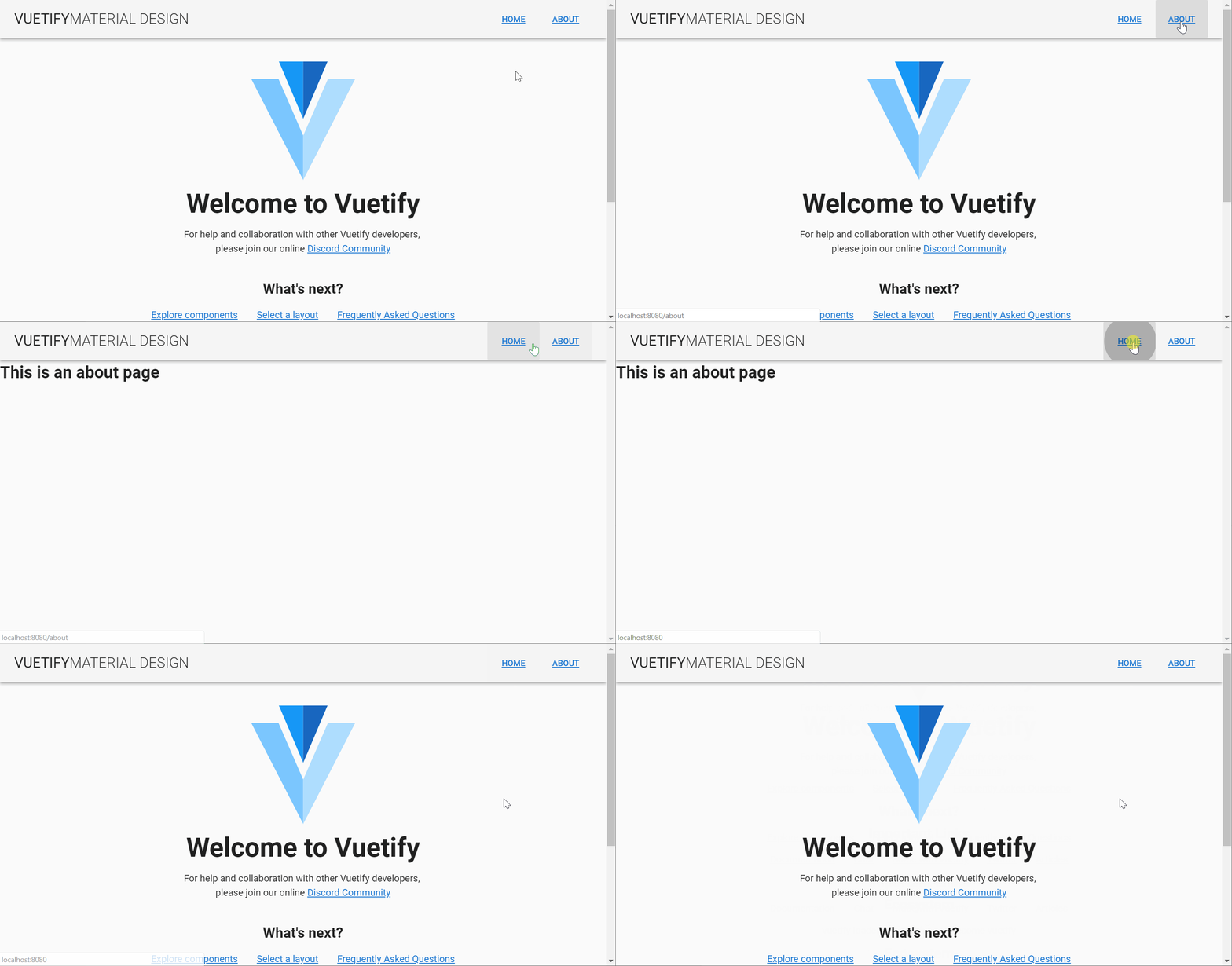
That’s it, check your localhost to see the router buttons in action:
Source can be found here